
You are 3 Clicks Away from Being Hacked The Privacy Settings Everyone Ignores (But Hackers Love)
🔒 “If you are not paying for the product, you are the product.“
Raise your hand if you have ever:-
- 🙋♂️ Skipped reading app permissions (guilty!)
- 🙋♀️ Used the same password for everything (ouch)
- 🙋♂️ Thought, “Why would hackers care about my data?” (Famous last words)
April was all about Privacy Settings & Online Safety—because in a world where oversharing is the norm, knowing how to lock down your digital life is a superpower. Whether you are a parent worried about your kid’s online activity, a young adult navigating social media, or an industry pro handling sensitive data, this guide is for YOU.
We will break down privacy settings, expose sneaky data traps, and give you pro tips to stay safe, all in a 10 minute read. Let us dive in!
🔍 Part 1: Why Privacy Settings Matter (More Than You Think)
- The “Oops, I Didn’t Mean to Share That” Effect
Ever posted something and immediately regretted it? You are not alone.
📌 Fun Fact: 1 in 3 people have accidentally shared something online they later regretted (thanks, late night posting!).

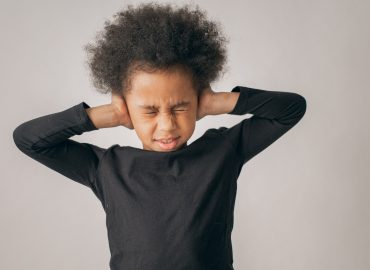
Me realising my ‘friends only’ post was actually set to ‘public.’
2. Who is Watching You?
Your data is not just seen by friends – advertisers, hackers, and even future employers are snooping.
✅ Quick Check:
- Google yourself—what pops up?
- Review old social posts—would you want your boss to see them?
⚙️ Part 2: Locking Down Your Privacy (Step by Step)
- 🔐 Social Media Privacy Settings
(Facebook, Instagram, Twitter, LinkedIn, TikTok)
Facebook:-
- Who can see your posts? → Set to “Friends” (not “Public”).
- Review tags → Turn on “Timeline Review” to approve tags before they appear.
- Limit past posts → Mass change old posts to “Friends Only.”
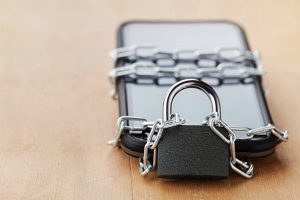
When you finally remember to check your privacy settings.
Instagram:-
- Private account? → If you do not want random people seeing your pictures, flip this ON.
- Story controls → Hide stories from specific people (yes, even that nosy close friend).
- Activity status → Turn off if you do not want people knowing when you are online.
✅ Try It Now:
- 👉 Go to your Instagram settings → Privacy → Adjust story controls.
- 📱 App Permissions: The Silent Data Leak
Your apps might be spying on you. Here is how to stop them:
📌 Scary Statistic: 45% of apps collect data they do not even need (like your contacts or location).
How to Fix It:
- iPhone: Settings → Privacy → Review app permissions.
- Android: Settings → Apps → Permissions → Revoke unnecessary access.
Quiz Time!
❓ Which app permission is the riskiest?
- Camera
- Microphone
- Location
(Answer: C—because stalkers & burglars love knowing where you are.)
👨👩👧 Part 3: Online Safety for Parents & Educators
- Kids & Social Media: What to Watch For
- Predators in DMs → Turn off message requests from strangers.
- Screen time limits → Use built-in controls (iOS Screen Time / Google Family Link).
- YouTube Safety Mode → Filter out inappropriate content.
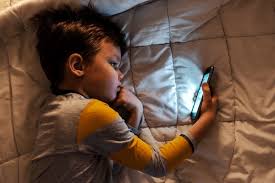
Parent: ‘What are you doing?’ Kid: ‘Nothing.’ Meanwhile, their search history: ‘How to build a bomb.’
2. Schools & Privacy
- Zoom/Google Classroom settings → Disable random join links to prevent “Zoom bombing.”
- Student data protection → Ensure schools aren’t oversharing students’ information.
✅ Action Step:
- 👉 Parents: Check your child’s phone tonight—do they have privacy settings enabled?
🚨 Part 4: Advanced Privacy for Industry Pros
- VPNs: Your Invisibility Cloak
- Why? Hides your IP address from hackers & trackers.
- Best free VPNs? ProtonVPN, Windscribe (but paid is always better).
When you realise public WiFi is just a hacker’s buffet.
2. TwoFactor Authentication (2FA)
- Turn it ON everywhere—especially email & banking apps.
- Use an authenticator app (Google Authenticator, Authy) instead of SMS (SIM swaps are real).
✅ Try It Now:
👉 Enable 2FA on at least ONE account today.
So,
🎯 For Young Adults: Audit your social media privacy TODAY.
👪 For Parents: Sit down with your kids & review their settings.
💼 For Industry Pros: Secure your work devices with VPNs & 2FA.
Conclusion
Privacy is not just a setting—it is a mindset. By taking control of your digital life now, you will avoid disasters later. So go ahead, tweak those settings, and surf safely!
Me after locking down my privacy settings like a boss.
Interact with us:- For more tips, tools, and resources, follow us on Tiktok, X, Facebook, Instagram and LinkedIn.
Written by
Jane Ndambuki
Education and Training Manager